Patterns and formats
Check a text value against a pattern of your own, or choose a field type that checks an email address, web address or phone number for you.
Use a pattern when a value has to follow a shape only you know about — a reference code, a part number, an internal ticket id. Use one of the format field types when the value is an email address, a web address or a phone number, because those are checked for you.
Setting a pattern on a text field
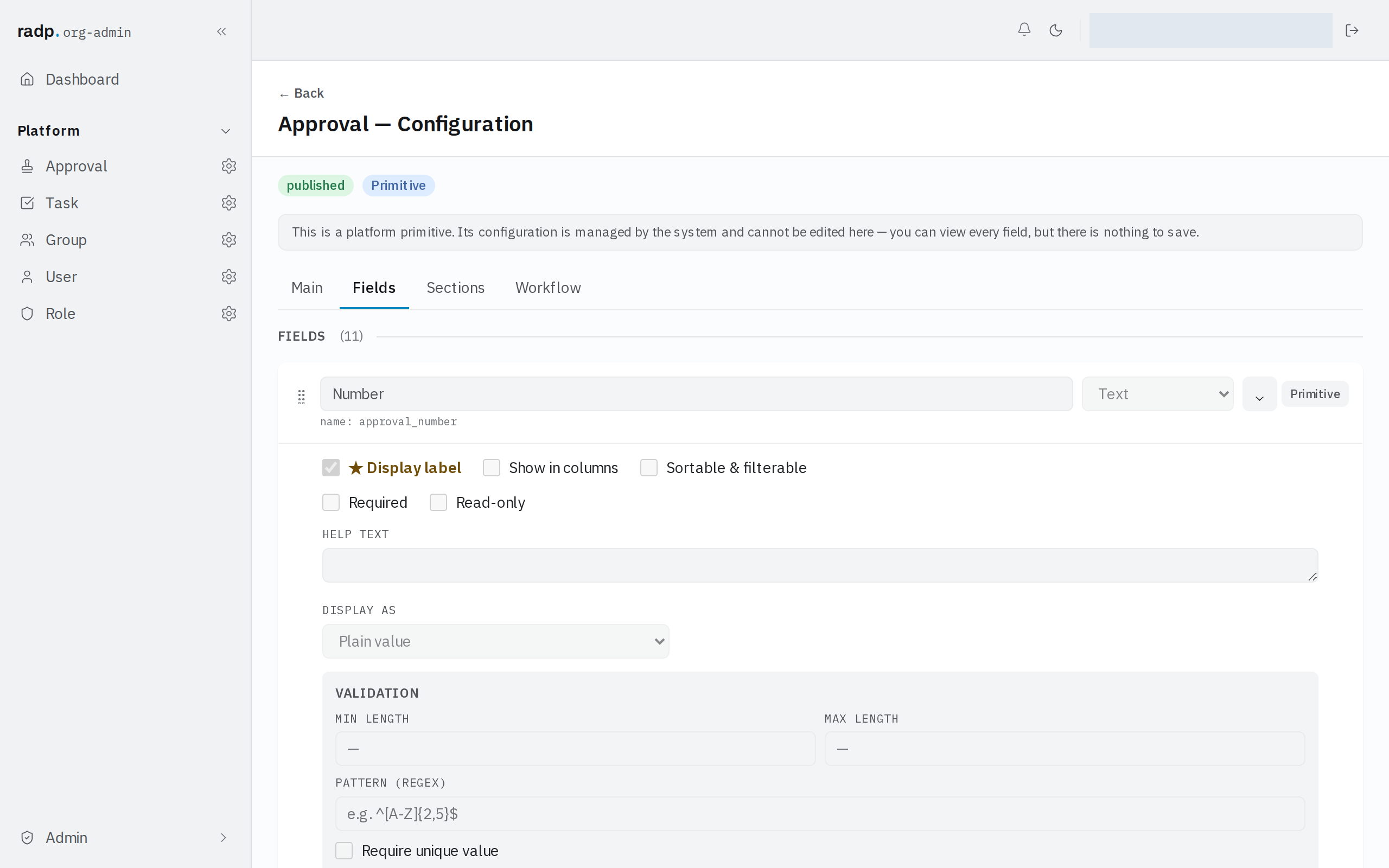
- In Admin, open the record type and choose the Fields tab.
- Click the field to open its settings.
- Under VALIDATION, type your expression in PATTERN (REGEX).
- Save the record type when you have finished.
The pattern sits with the other checks on the same field, so you can require a minimum and maximum length as well as a shape.
Formats you do not have to write
The field type picker offers three formats beside plain Text:
| Type | Use it for |
|---|---|
| An email address | |
| Web address (URL) | A link |
| Phone | A telephone number |
Each stores text and checks the format for you, so you do not need to write a pattern for these three. Pick the format type when it fits, and keep patterns for shapes that are particular to your organisation.
When you cannot change the setting
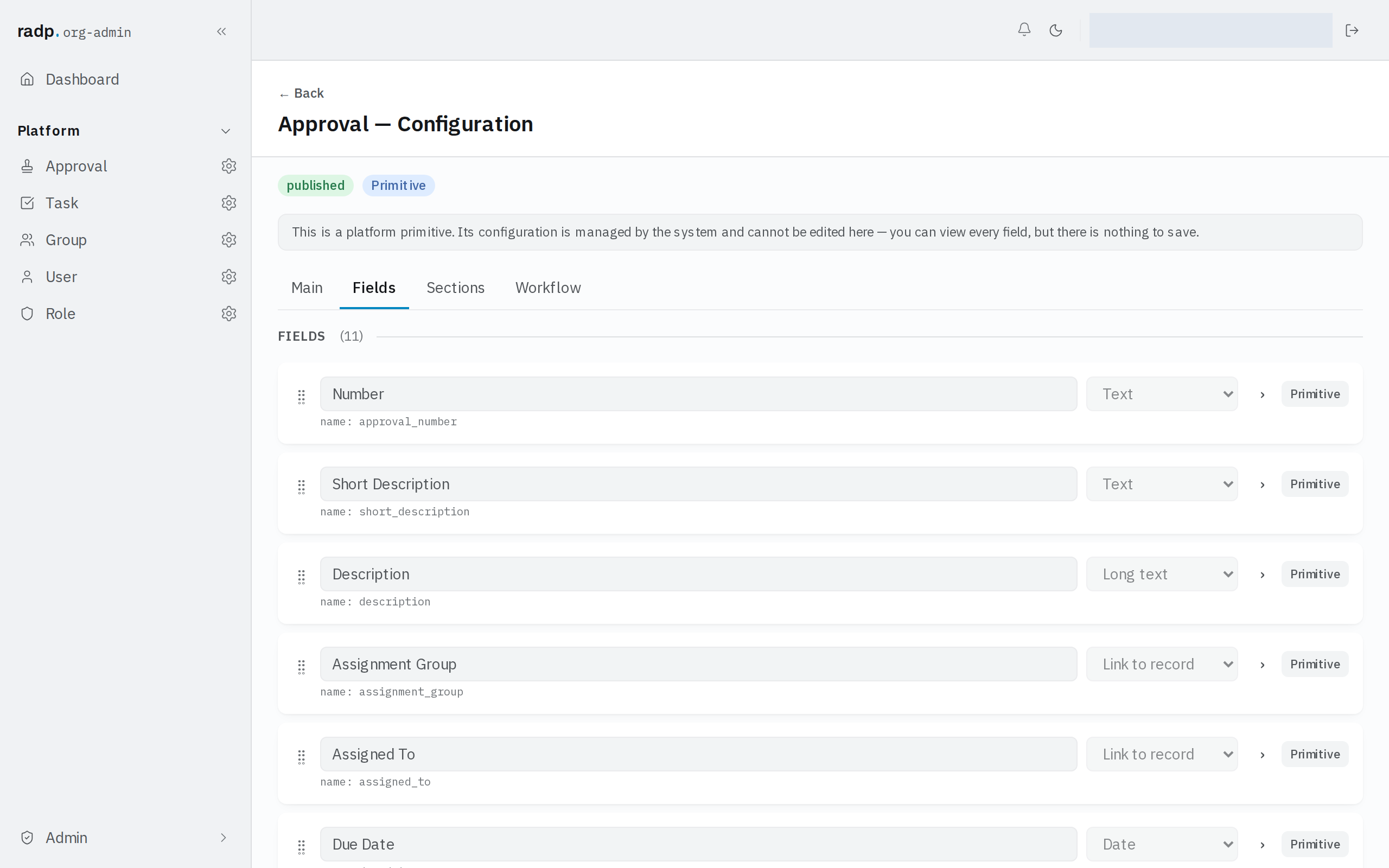
The platform record types — Approval, Task, Group, User and Role — carry a note saying their configuration is managed by the system. You can open any of their fields and read the pattern and length settings, but nothing there can be saved. Set patterns on the record types in your own modules instead.
Setting up fields is admin work, so the Fields tab is only reachable by org-admins and radp-admins.